Storage
Egos provides personal cloud storage functionality, allowing you to backup important files to your Egos workspace. Currently, Egos offers two storage methods: local storage and S3 storage.
- Local storage: You can designate any directory as your storage location, greatly improving file portability and transferability
- S3 storage: You can backup files to S3-compatible file systems such as rustFS, minio, seaweedfs, etc., providing high availability and scalability
S3 storage requires configuring S3 access credentials including access key and secret key. Egos provides an S3 storage configuration interface where you can set up S3 storage in the user center.
In the future, we will support additional storage protocols such as WebDAV, SMB, and more.
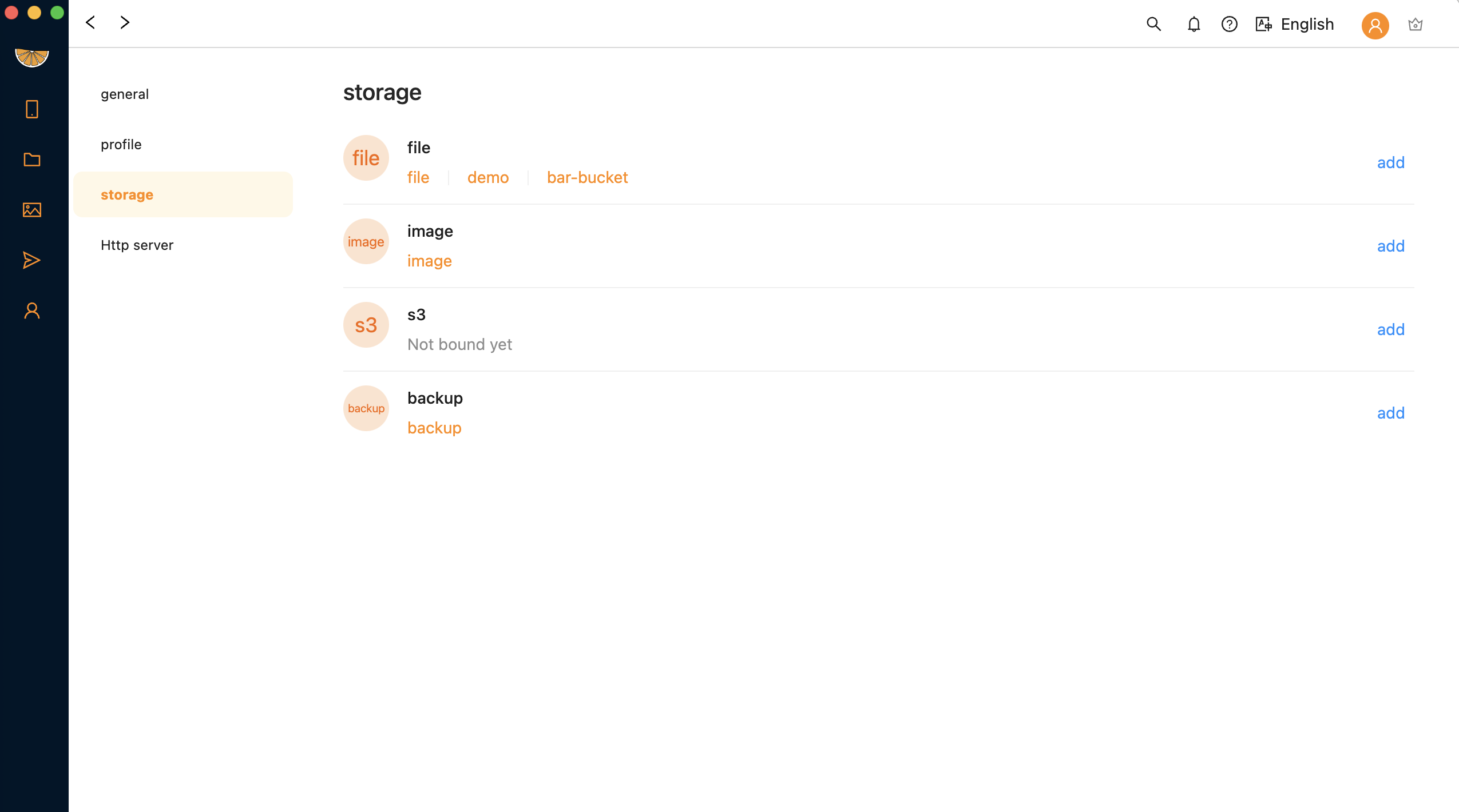
Setting up bucket
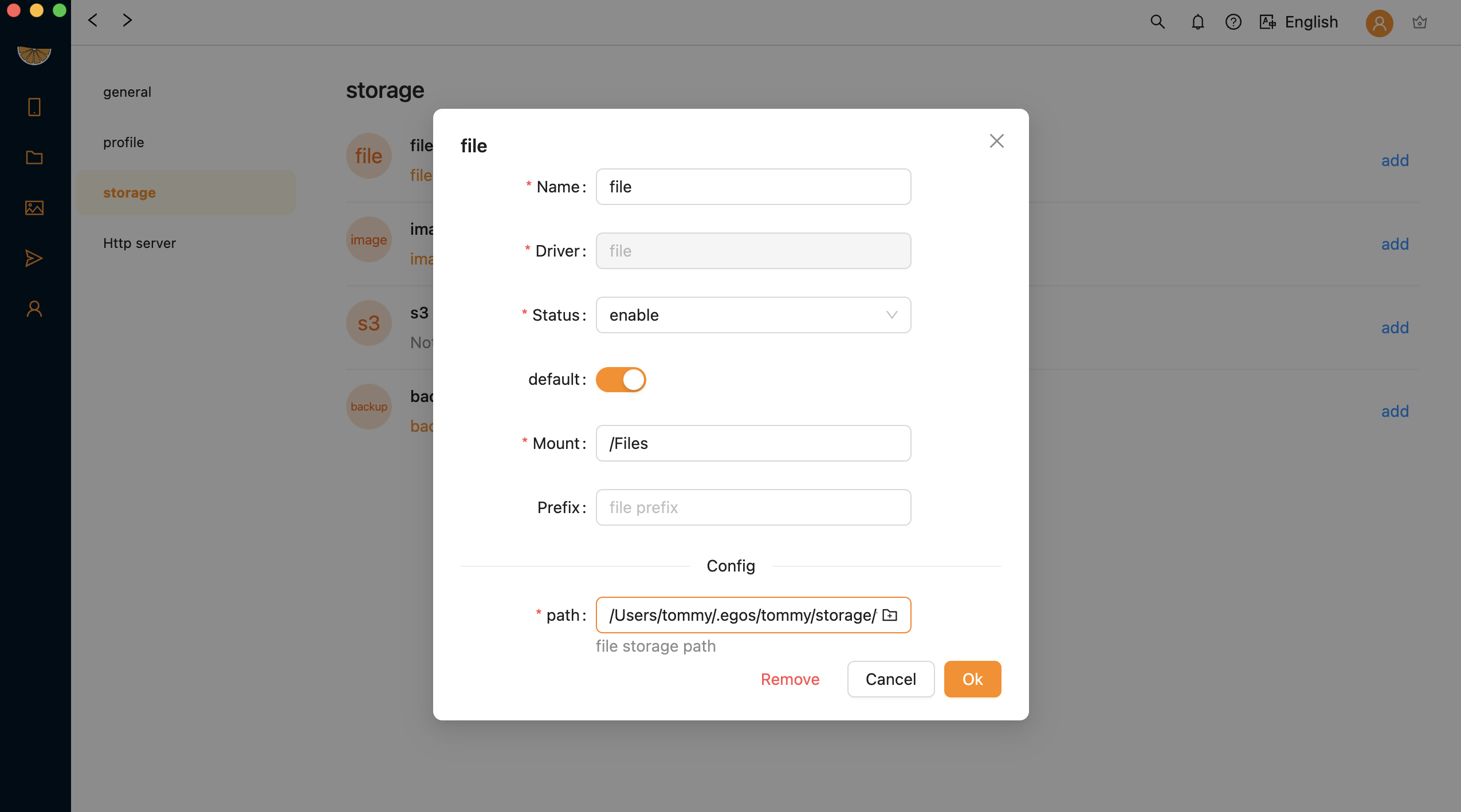
name: bucket name must be uniquedriver: you can choose between 'file' or 's3'status: enable or disablemount: mount point directory, this is the directory you can access within Egos and will be displayed in the file system sidebar (must be unique)config.path: file storage path
Default bucket
There is three default bucket in Egos:
- file
The
filedefault storage bucket. - image
The
albumdefault storage bucket. - backup Your devices backup storage bucket.
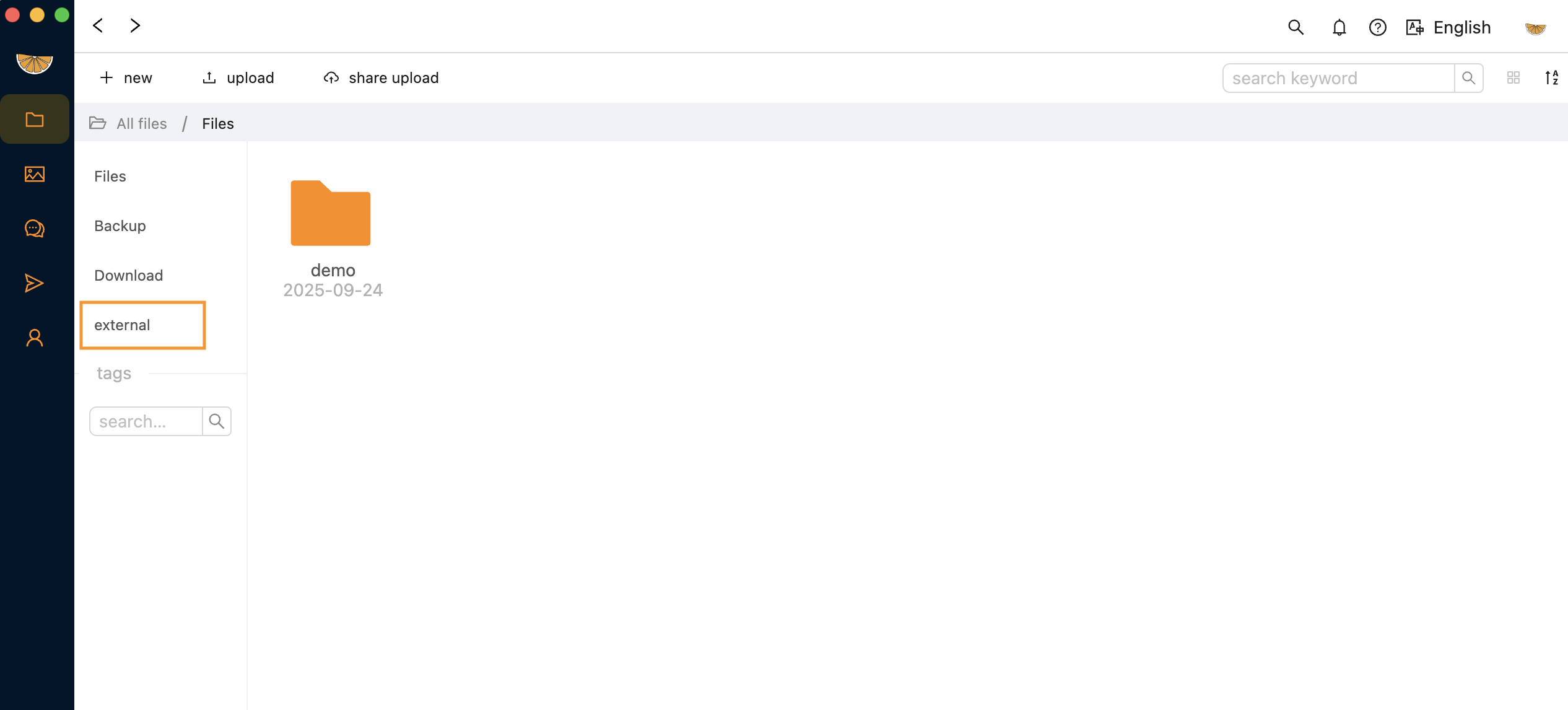
Tips: When you have set up a bucket mount to /external, it will appear in File manager, sidebar.