File Manager
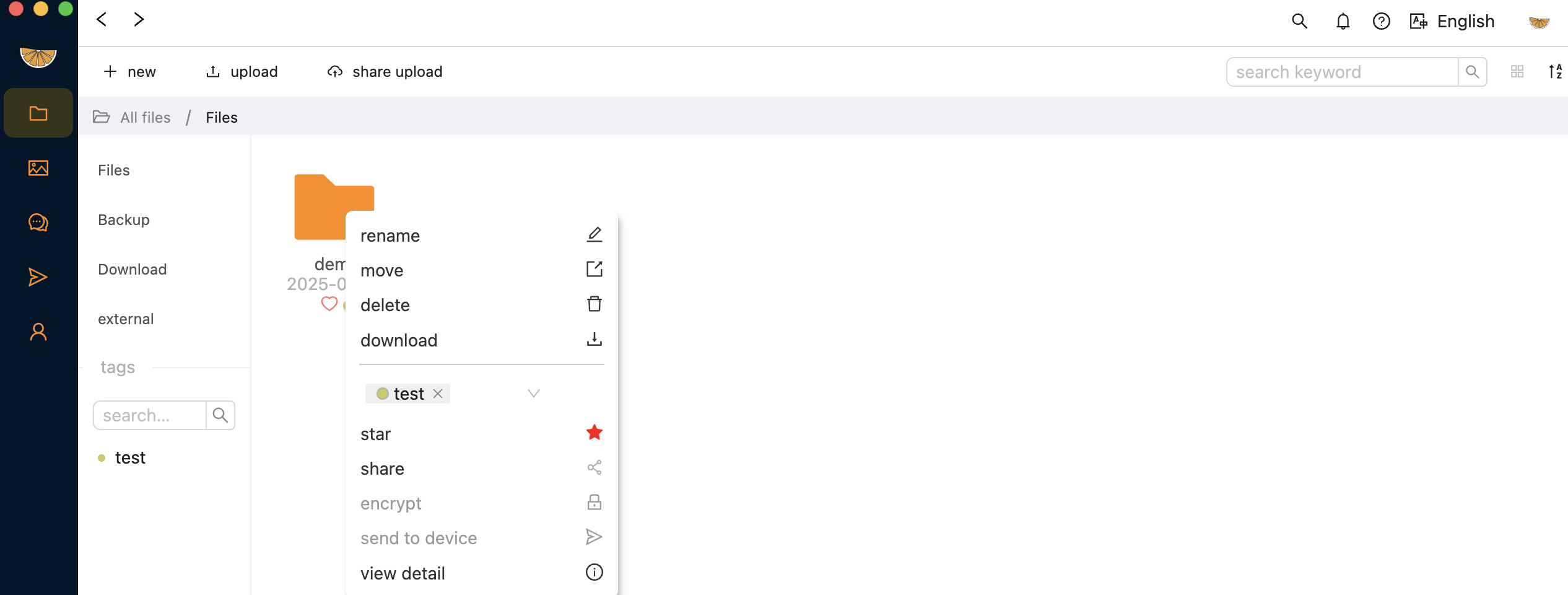
Egos File Manager is designed with a familiar experience, much like macOS Finder. You can browse, organize, and manage files across your devices with an intuitive interface that feels natural from the first use. Beyond local file navigation, it also allows you to access remote devices, preview content, and perform quick actions such as copy, move, upload, and download, all within a unified view.
Share files
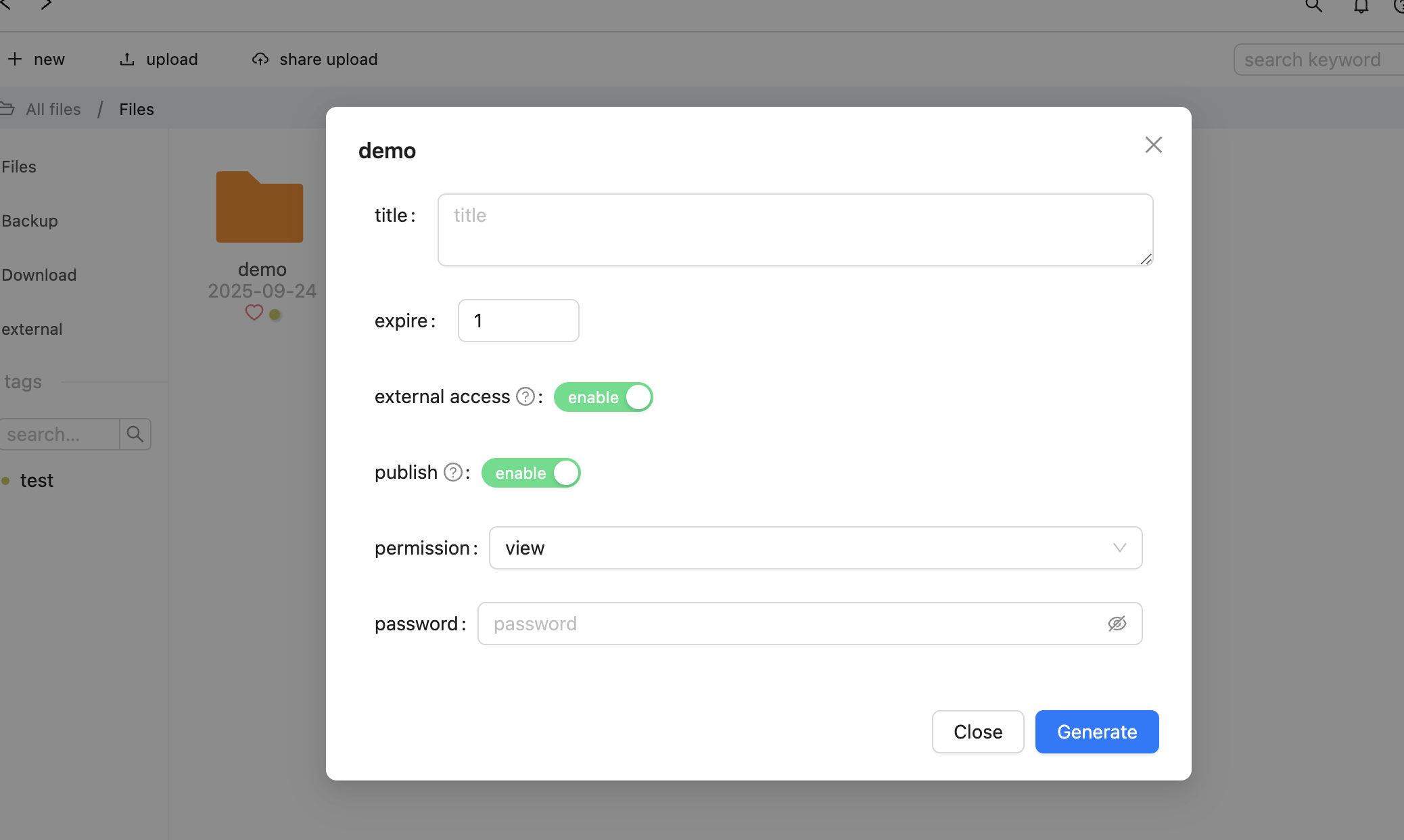
You can share files or folders directly from the context menu. Choose between internal sharing or external sharing:
-
Internal sharing — Egos launches a local HTTP server to make the content available within your network.
-
External sharing — generate a web URL so others can access your shared files from outside your network.
-
publish sharing - it will appear in you home page at: https://console.egosapp.com/h/$username (replace
$usernameto your real username)
Tags & star
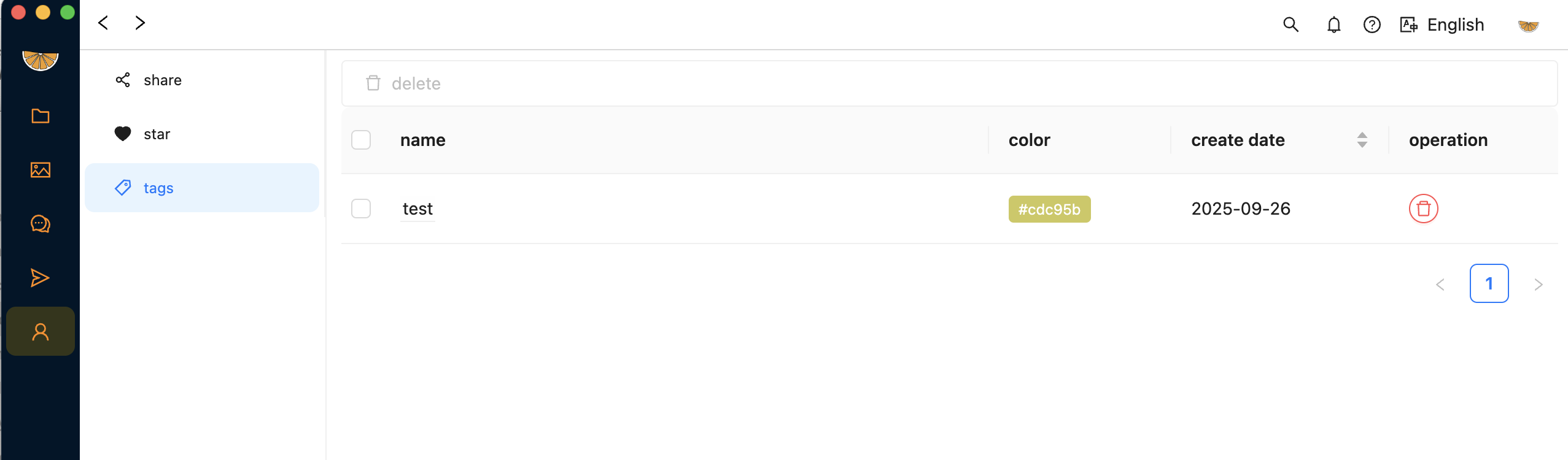
You can add tags to your files or folders to help organize and find them more easily. Simply right-click on the item, select "Add Tag," and enter a tag name. You can also view and filter files by tags in the sidebar.
Star designed for collect your frequently used files or folders.
All your share, star, tag can be manger in user center.
Encrypt
Egos allows you to encrypt your files using the AES algorithm for enhanced security. ⚠️ Please remember your password — it is required to decrypt your files. If the password is lost, the files cannot be recovered by anyone.
Send file to device
you can send the selected file to you online device. simply right-click on the item, select "Send to Device," and choose your target device from the list.